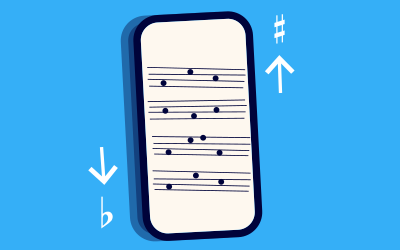
Metronaut: the perfect sheet music app for iPad users who want a true iPad sheet music experience
Metronaut is an iPad sheet music app and sheet music app with digital sheet music, interactive library and smart practice tools for musicians.

If you play an instrument today, your tablet is probably already part of your musical life: you watch YouTube tutorials, follow online courses, listen to recordings, maybe even read the occasional PDF score. Turning that same device into your main music stand is the next logical step. An iPad sheet music reader lets you carry a huge sheet music library, read music notation clearly, enjoy automatic page turns, and focus on your performance instead of juggling paper folders.
Metronaut is a cross-platform sheet music platform designed for musicians who would like more than a basic viewer or generic music tools. It combines curated digital scores, high-quality accompaniments and smart practice tools in one place. Instead of just displaying a static sheet, Metronaut transforms your iPad, Pro model or Air model into an interactive player that follows your tempo, supports your practice routine and helps you make music every single day. Whether you are a beginner with a new iPad, a returning musician, or a teacher looking for score-reading tools that really support your lessons, Metronaut gives you a modern, musical way to use the iPad on the stand.

Why choose an iPad sheet music app over printed sheet music?
Switching from printed sheet music to an iPad sheet music reader changes the way you store and use your scores. Instead of carrying heavy binders or stacks of photocopies, you put your tablet on the stand, open Metronaut and see your entire score collection in one place. You can search, filter by instrument, level or style, and get to the right piece in seconds. For busy musicians, this saves a lot of time before rehearsals, exams or concerts.
Reading Sheet music on iPad also brings visual and practical benefits. You can zoom into small notes, adjust brightness on stage, and enjoy clean layout on modern inch tablet screens. Automatic page turns mean you don’t have to reach over to flip paper right in the middle of a difficult bar. If you’ve ever lost your place because a page slipped off the stand, you know how good it feels when a tool for sheet music keeps the score stable for you. And where paper wears out, gets coffee stains or tears, your digital library stays clear and readable for years.
Metronaut focuses on being a great practice tool, not just a basic viewer. Instead of asking you to import scores and crop every margin, it offers a built-in score library of curated titles ready to use. For many players, this is an easier option than juggling several tools and folders of random scores in PDF format. You can still use these tools, but Metronaut becomes your go-to place whenever you wish to play standard repertoire with a great accompaniment.
How Metronaut turns your iPad into a powerful sheet music library
From the moment you download Metronaut, Metronaut opens onto a catalog designed specifically for instrumentalists and singers. Instead of an empty screen, you see curated collections, recommendations and playlists for your instrument and level. You can look for a favorite song or composer, browse categories, discover free sheet music samples, then tap to start playing instantly.
The library covers classical repertoire, film music and educational music scores for many instruments: violin, viola, cello, flute, clarinet, saxophone, trumpet, piano, voice and more. Each piece is prepared as digital scores, laid out for clear music reading on a tablet screen rather than as a random scan. You see good spacing, readable notes and consistent music notation, which makes it much easier to read ahead and stay relaxed. For many users, this overall experience is what makes Metronaut feel like a truly great iPad sheet music solution rather than “just another tool”.
Reading music on iPad: notation, page turns and Apple Pencil
When you open a score in Metronaut on iPad and iPhone, the app is designed to keep the sheet music front and center. Menus slide away as soon as you begin to play, leaving you with a clean display optimised for music reading. You can rotate the device, switch between portrait or landscape, and adjust zoom to match your stand distance.
Automatic page turns ensure that the score moves just when you need it. You can tap the screen, accept timed turns, or connect a Bluetooth pedal like AirTurn for completely hands-free navigation. For players used to other sheet music tools such as forScore, Piascore or Newzik, this behaviour feels familiar, but Metronaut adds the bonus of synchronized scrolling with the accompaniment. The user stays focused on the line, while the player underlines each bar in real time.
With Apple Pencil support, marking the sheet becomes as natural as on paper. You can write fingerings, bowings, breath marks, dynamics or reminders directly on the digital score. Annotations are easy to add, undo or clear, and you can keep separate layers for different programs or students. For those who still like physical copies, Metronaut also lets you print the score (public domain).

Practicing with interactive playback instead of static scores
Most generic reading tools or basic readers show only static pages. Metronaut takes a different approach and uses an interactive player. When you press play, high-quality accompaniments begin, and the score scrolls in sync with the music. You can set a count-in so you have time to raise your instrument, then follow the moving cursor as it travels across the bar.
This interactive tool makes it easier to read ahead and stay in time, especially for younger students or adults returning to reading scores after a long break. You are always working with real scores, not a game interface, but you benefit from precise visual guidance. If you only want to listen, you can mute your part, use Metronaut like a music player, and simply listen to the accompaniment as reference.
Metronaut is available on iOS, macOS and even the web, so you can start practicing on your Mac, review something on your Android phone via browser, and then put your main tablet back on the stand before a concert. This cross-platform support is especially helpful for teachers who prepare lesson material on a laptop running Windows or Mac, then use Metronaut on Pro models during class.
Tempo control, looping and intelligent practice tools
A great practice routine needs more than a beautiful score; it needs tools that actually help you improve. Metronaut lets you adjust the accompaniment tempo with a simple slider: slow down difficult sections to learn notes, then gradually change speed as you gain confidence. Because accompaniment and sheet music are linked, everything stays synchronized no matter which tempo you fix.
Put these tools into a routine with our guide to improving your music practice sessions.
You can loop a short passage, activate a metronome, and focus on rhythmic accuracy before adding the full accompaniment. This makes it easy to isolate tricky bars and work on them without distractions. Compared to playing along with a random video on YouTube or an MP3 stored in Dropbox, Metronaut gives you precise, repeatable control over how you practice.
More advanced features use music recognition to adapt to your playing in real time, turning the accompaniment into a responsive partner instead of a rigid track. Metronaut listens to your performance and adjusts playback speed accordingly, letting you play music more expressively while still feeling supported. Over the year, this kind of targeted work adds up quickly, especially when combined with regular updates to the catalog and feature set.

Recording, listening back and tracking progress
Because your tablet already has a file system, microphone and speakers, an iPad sheet music app can also be a recording studio for practice. Metronaut lets you record your playing directly in Metronaut while the accompaniment runs. After each take you can listen back with the score on screen, noticing details you might miss while concentrating on your hands or breathing.
Recording is a good way to hear uneven timing, tuning issues, insecure entries or rushed endings. Saving several takes across weeks or months creates a clear picture of your progress. Many musicians find this more motivating than any external feedback, because they can literally hear the difference. For teachers, short recordings sent from home help diagnose where a student needs extra support. Combined with Metronaut’s easy to use interface, this makes regular recording a natural part of the routine instead of a special chore.
Using Metronaut alongside other sheet music apps on iPad
The iPad music world is rich, and many people rely on several sheet music tools at the same time. You might already use forScore to manage large collections of scanned scores, MuseScore to explore community arrangements, Henle Library or Henle editions for Urtext Bach, or Musicnotes to buy popular songs. Some users compose in notation software like Dorico or Sibelius on Mac and Windows, then export to PDF.
Metronaut fits naturally into this ecosystem. Instead of trying to replace every tool, it focuses on being the best possible accompaniment app for sheet music that it actually offers in its catalog. When you want to work on standard repertoire with professional backing tracks, you open Metronaut. When you need to read a very specific edition or a score you wrote yourself, you might import a file into forScore, Piascore or Newzik. The apps for iPad work together rather than compete, and you can choose the right one for each situation.
Services such as Google Drive, iCloud, Amazon cloud, Dropbox or Music Direct can store your personal PDFs, while Metronaut takes care of licensed, interactive digital scores that are ready to use with accompaniment. This combination gives you flexibility without forcing you into one rigid workflow.

Importing, scanning apps and PDF libraries: when you need them (and when you don’t)
Many articles about sheet music reading apps talk about how to scan and import every piece of printed scores you own. A dedicated scanning app with Optical Music recognition can be very powerful if you need that workflow. You take photos, the app detects staves, and you end up with scores in PDF form. Apps like forScore, Piascore or Newzik are fantastic at managing those large collections.
Metronaut takes a different role. Instead of being a scanning or reading music utility, it offers ready-to-play digital sheet music with aligned accompaniments. You don’t need to import scores just to start playing; you open the repertoire, pick a piece, and you’re ready. This is especially useful for students and busy teachers who prefer to spend their limited time on actual music reading, not on technical setup.
Of course, you can still use these apps when you need to handle special projects: complex ensemble scores, personal arrangements, or niche repertoire. Your tablet can host all of them side by side, and you can turn to each app depending on whether you want scanning, advanced tagging, or interactive accompaniment. That flexibility is one of the reasons why apps for iPad have become such an important part of modern music life.
iPad music app for students, teachers and classrooms
For students, Metronaut functions as a guided practice app that makes sessions feel more like playing with other musicians. You choose a piece at the right level, tap play, and the accompaniment provides a clear rhythmic and harmonic context. Because it is easy to use, students are more likely to open it every day, which matters far more than any individual feature.
For lesson preparation and practice between classes, explore how Metronaut supports music teachers and students.
For teachers, an iPad sheet music app is both tool and library. In a one-to-one lesson, you can put the iPad on the stand, choose a score, and let Metronaut handle the accompaniment while you stand nearby and give feedback. You can slow down tricky passages, loop a bar, or temporarily mute the solo line. After the lesson, you can share recommended titles or playlists directly in the app, so students know exactly what to practice at home.
In group settings, such as school ensembles or conservatories, connecting the iPad to speakers turns Metronaut into a backing track system that is tightly linked to the score on screen. Combined with cloud services like Google Drive or Dropbox for handouts and assignments, and other Music Apps such as theory drills or ear-training apps, you can build a complete digital workflow around the iPad.
Check here for more information about Metronaut for educational purposes

Choosing the best iPad app for sheet music on your device
With so many sheet music reading options available, choosing the best iPad solution can feel overwhelming. There is no single “right” answer, but there are good questions to ask.
Do you mostly want to read your own PDFs from Amazon purchases, publisher websites or old scans? In that case, a general-purpose reader like forScore, Piascore, Newzik or Piascore combined with cloud storage (iCloud, Google Drive, Dropbox) may be your main platform. Do you want an iPad sheet music app that simply works out of the box as a practice app, with ready-to-play accompaniments and curated content? That is where Metronaut shines.
Metronaut is a particularly strong choice if you:
- value high-quality accompaniments recorded by real musicians
- need clear music notation optimized for the screen
- like having intelligent practice tools (tempo, looping, recording) built in
- prefer a curated sheet music library instead of endless manual import of PDFs
Used together with the rest of your Music Apps and sheet music apps, Metronaut helps you make music more often and with less friction.
Getting started: download, start and make music with Metronaut
Getting started is simple. You complete the onboarding here, download Metronaut on your iPad and iPhone, open the app, and sign in. Within minutes you can select a piece, set your instrument and level, and start playing with accompaniment. The onboarding is designed to be easy, even if you have never used something like this before.
From there, you can create playlists for concerts, exams or daily warm-ups, try out different genres, and explore new repertoire you might not have considered on paper. Over time, you’ll build a digital sheet music collection that travels with you everywhere, without adding any extra weight to your bag. You can still keep your favourite printed editions by Henle or other publishers, but you no longer have to rely on them for every situation.

Whether you are working on Bach for an audition, learning movie themes for fun, or helping students prepare a recital, Metronaut offers a best sheet music apps-style experience focused on actual playing. It combines the convenience of modern technology with the depth of traditional sheet music reading. For many players, that makes it the right iPad sheet music app to put on the stand today.